Windows & Database Server Management & Monitoring Solution
-
✓
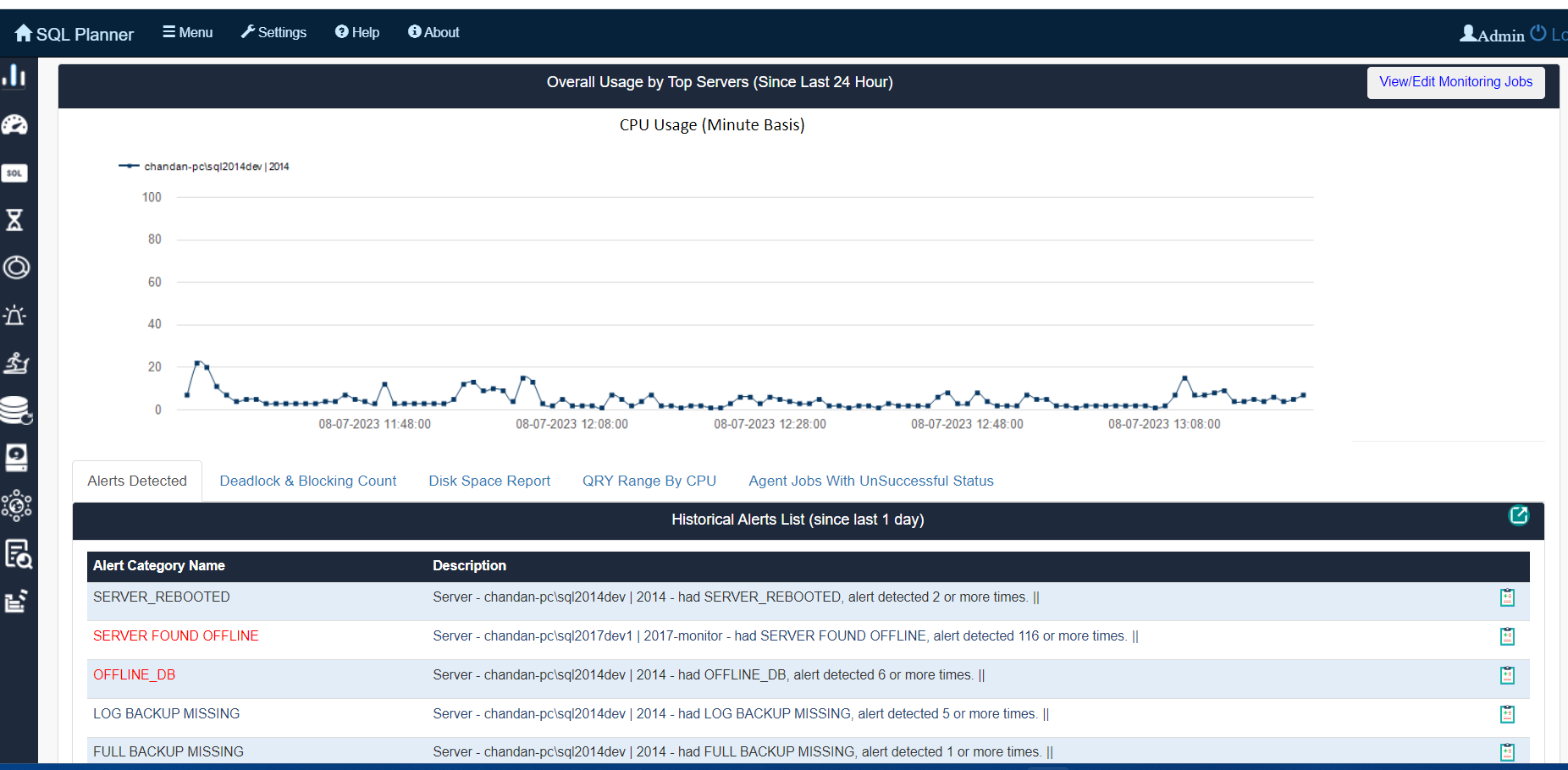
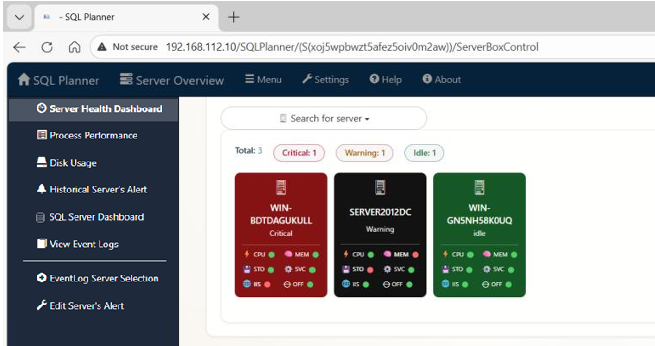
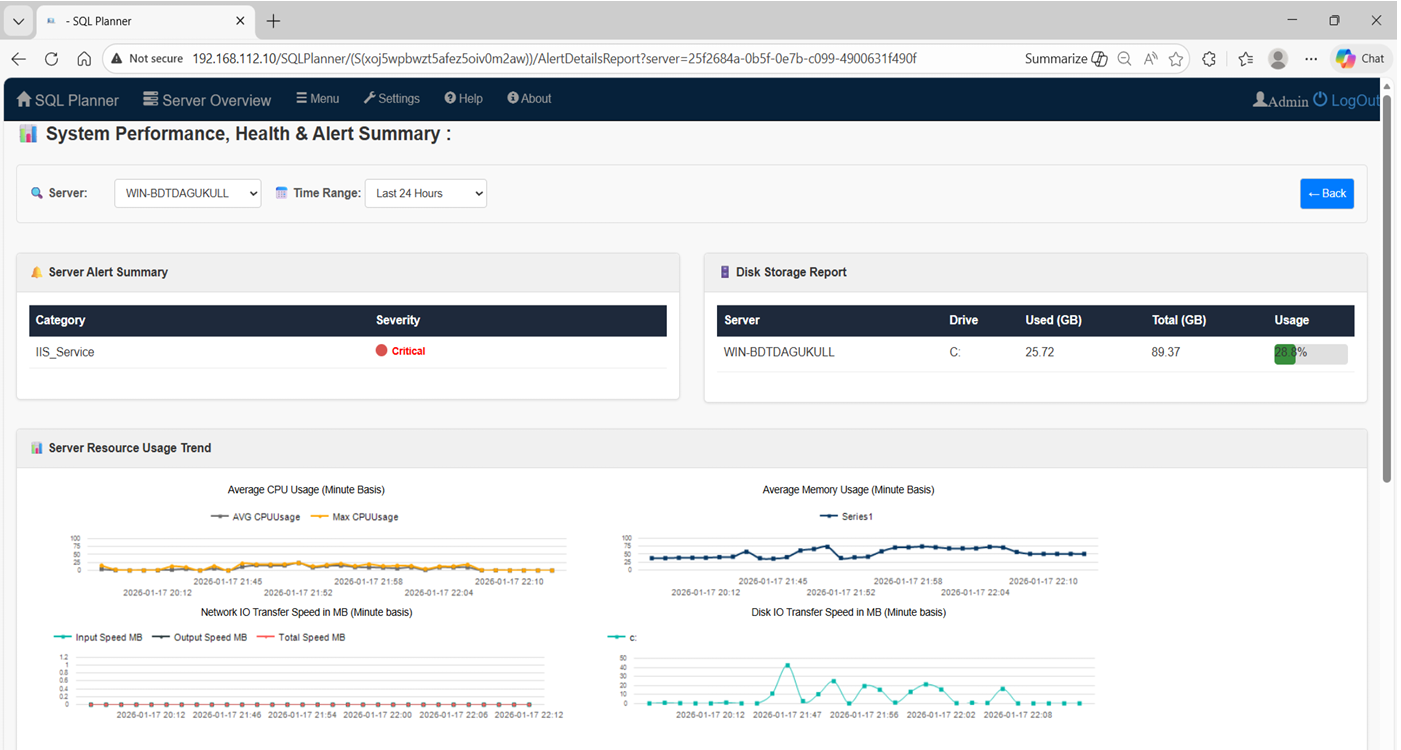
Windows Server: Real-time monitoring for CPU, Memory, IIS, Storage, Services, Network, and Event Logs.
-
✓
SQL Server, Oracle, PostgreSQL, MySQL : Advanced performance monitoring, Data Modeler, Schema Compare , Multi DB SQL Query Studio, automated Audits, and reliable Backups.
-
✓
Insights: 100+ deep analytical reports to resolve issues and save millions in DBA costs.
Windows & Database Server Management & Monitoring Solution
- ✓ Windows Server: Real-time monitoring for CPU, Memory, IIS, Storage, Services, Network, and Event Logs.
- ✓ SQL Server, Oracle, PostgreSQL, MySQL : Advanced performance monitoring, Data Modeler, Schema Compare , Multi DB SQL Query Studio, automated Audits, and reliable Backups.
- ✓ Insights: 100+ deep analytical reports to resolve issues and save millions in DBA costs.
Enterprise Database & Infrastructure Management
Monitor SQL Server
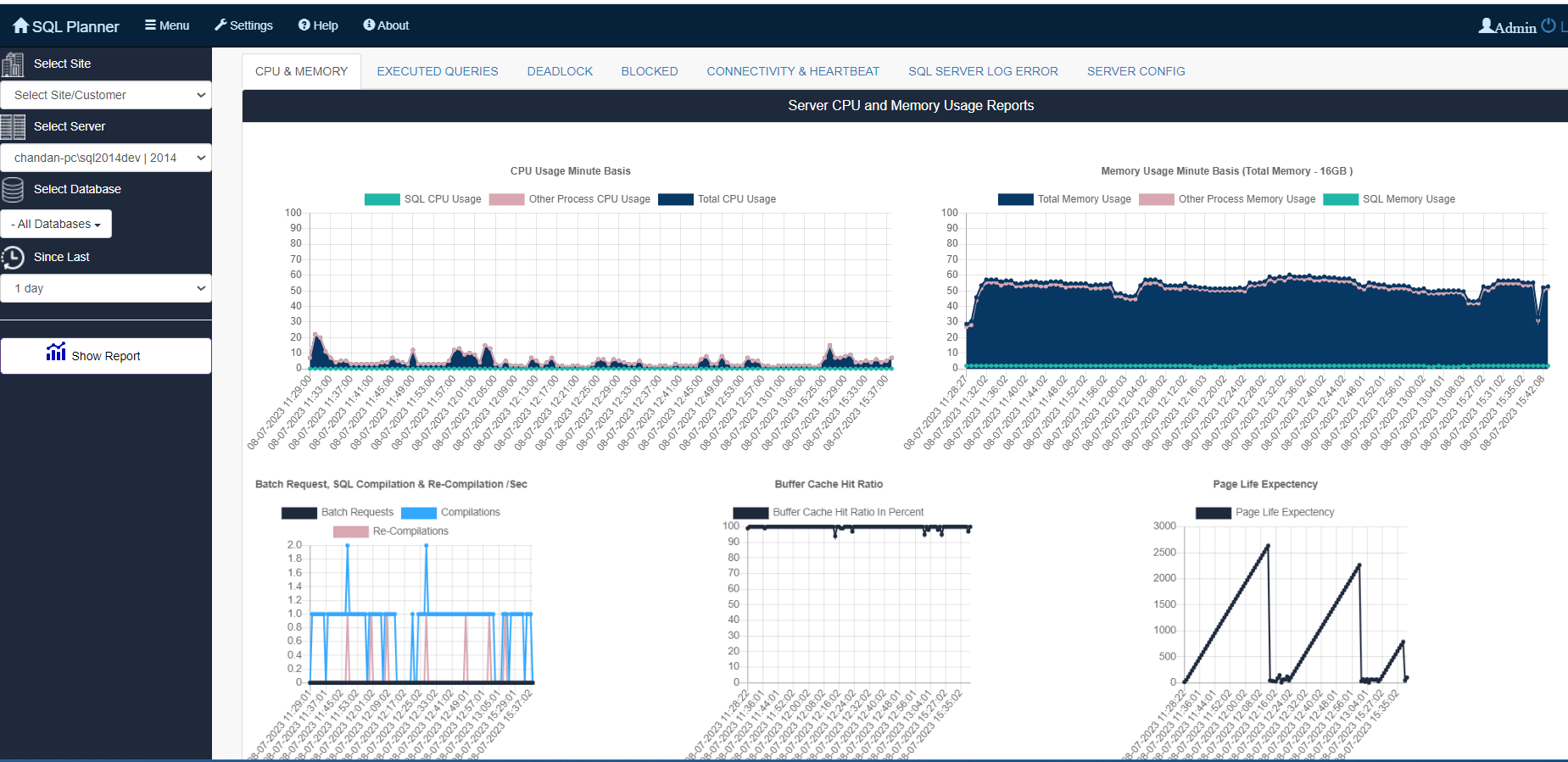
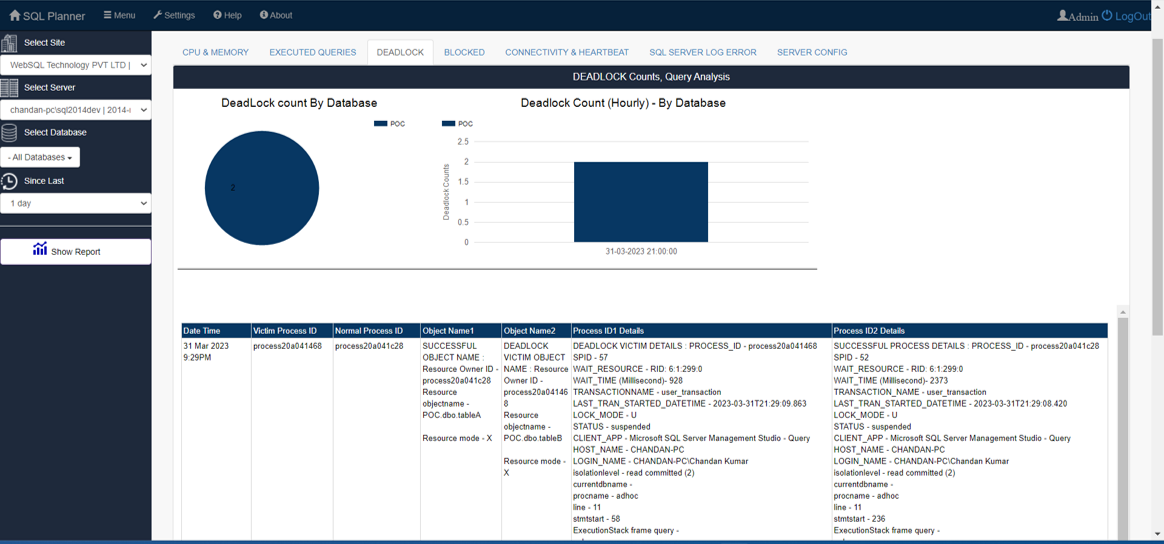
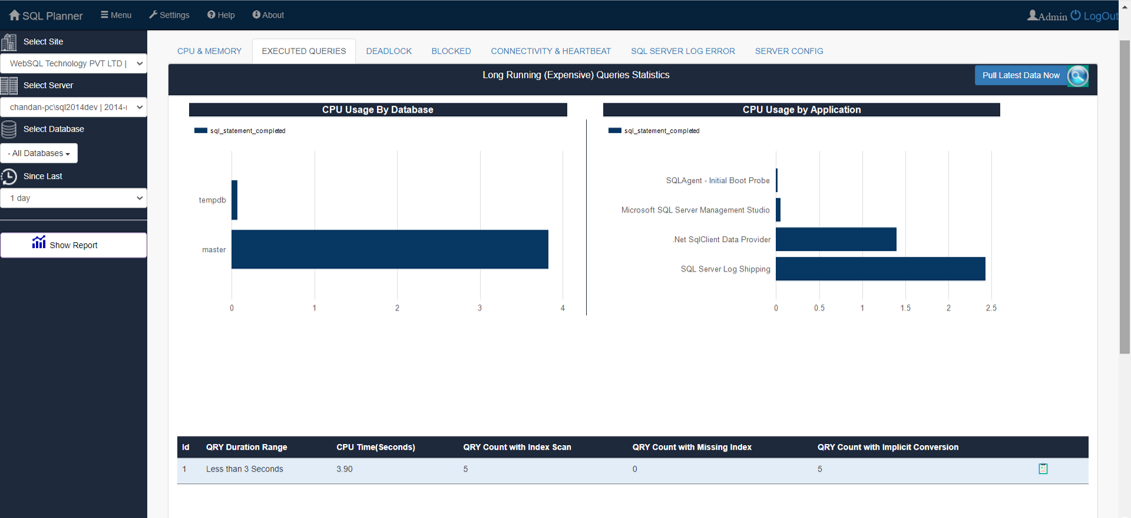
Real-time tracking of Complete performance metrics, deadlock, query execution to eliminate bottlenecks.
Click here for more →Analyze Database Health
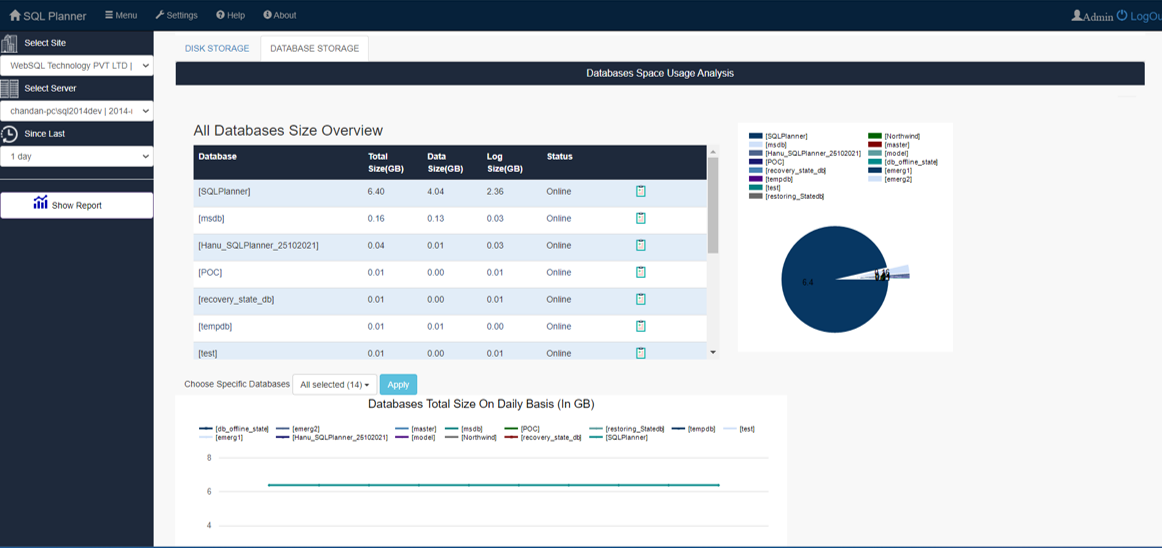
Deep-dive diagnostics and health checks to ensure optimal uptime and system stability.
Click here for more →Backup & Scripting
Reliable automated backup solutions paired with integrated SQL scripting tools.
Click here for more →Windows Server Monitor
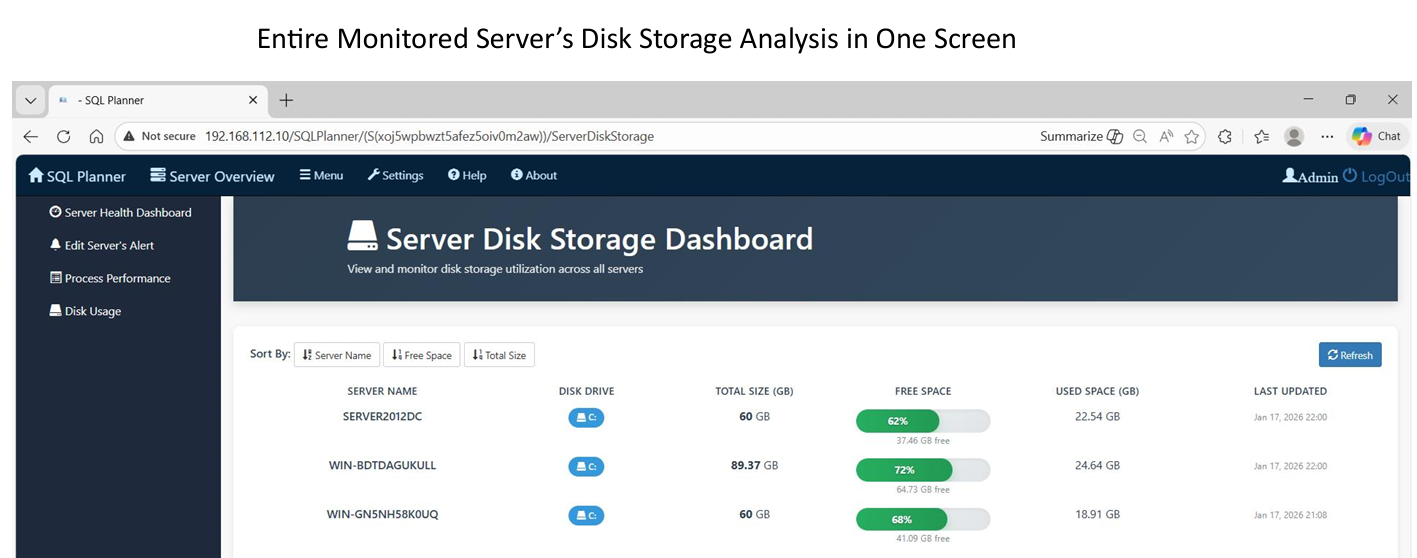
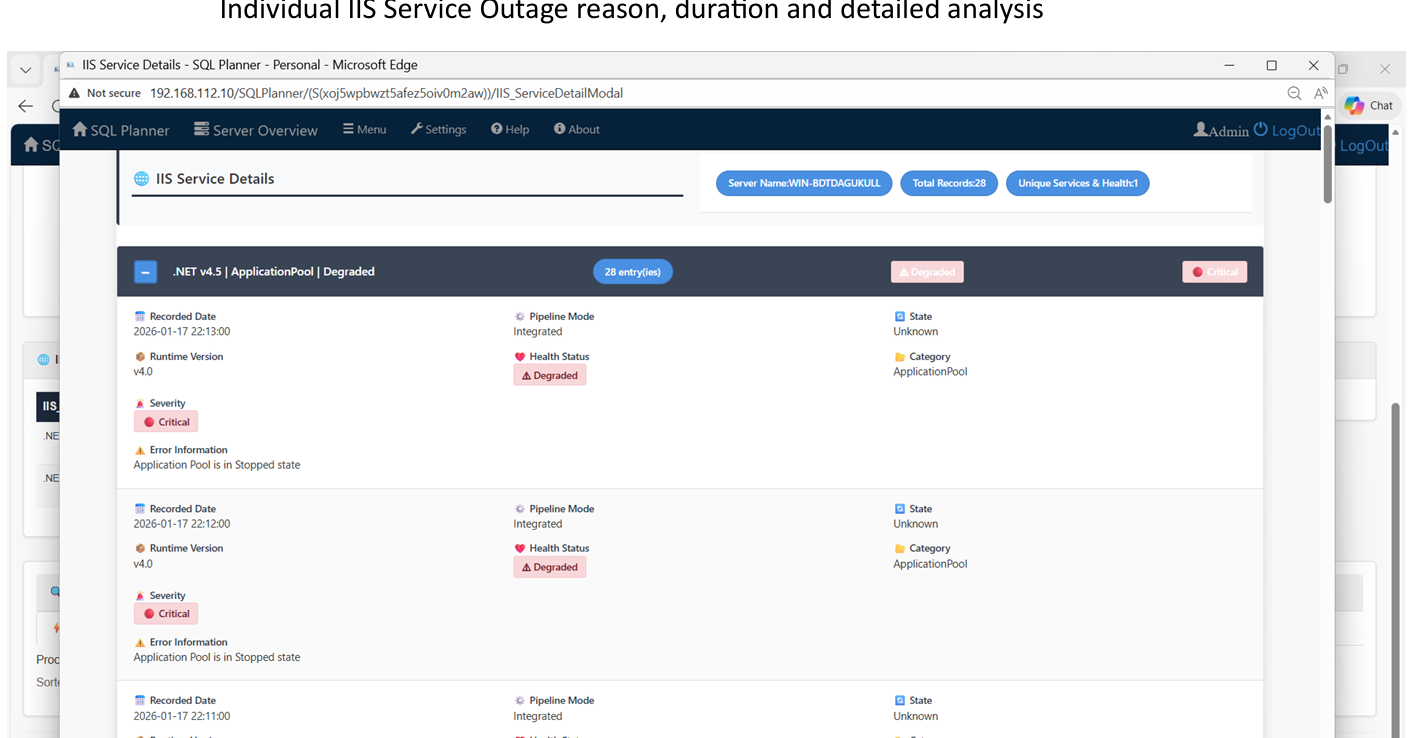
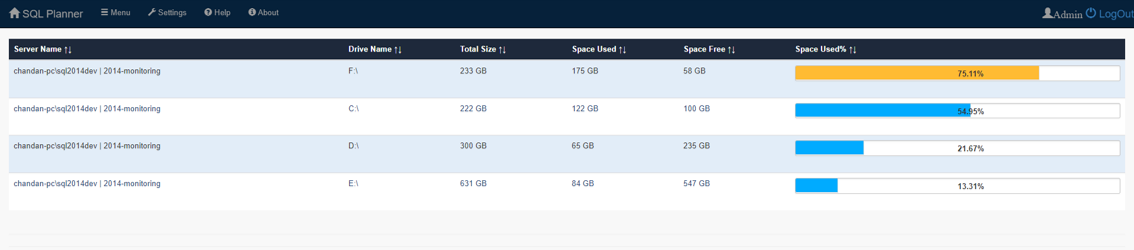
Full visibility into CPU, Memory, IIS, Network IO, Storage, Services, and Event Logs in one place.
Click here for more →Server Event Log Monitor
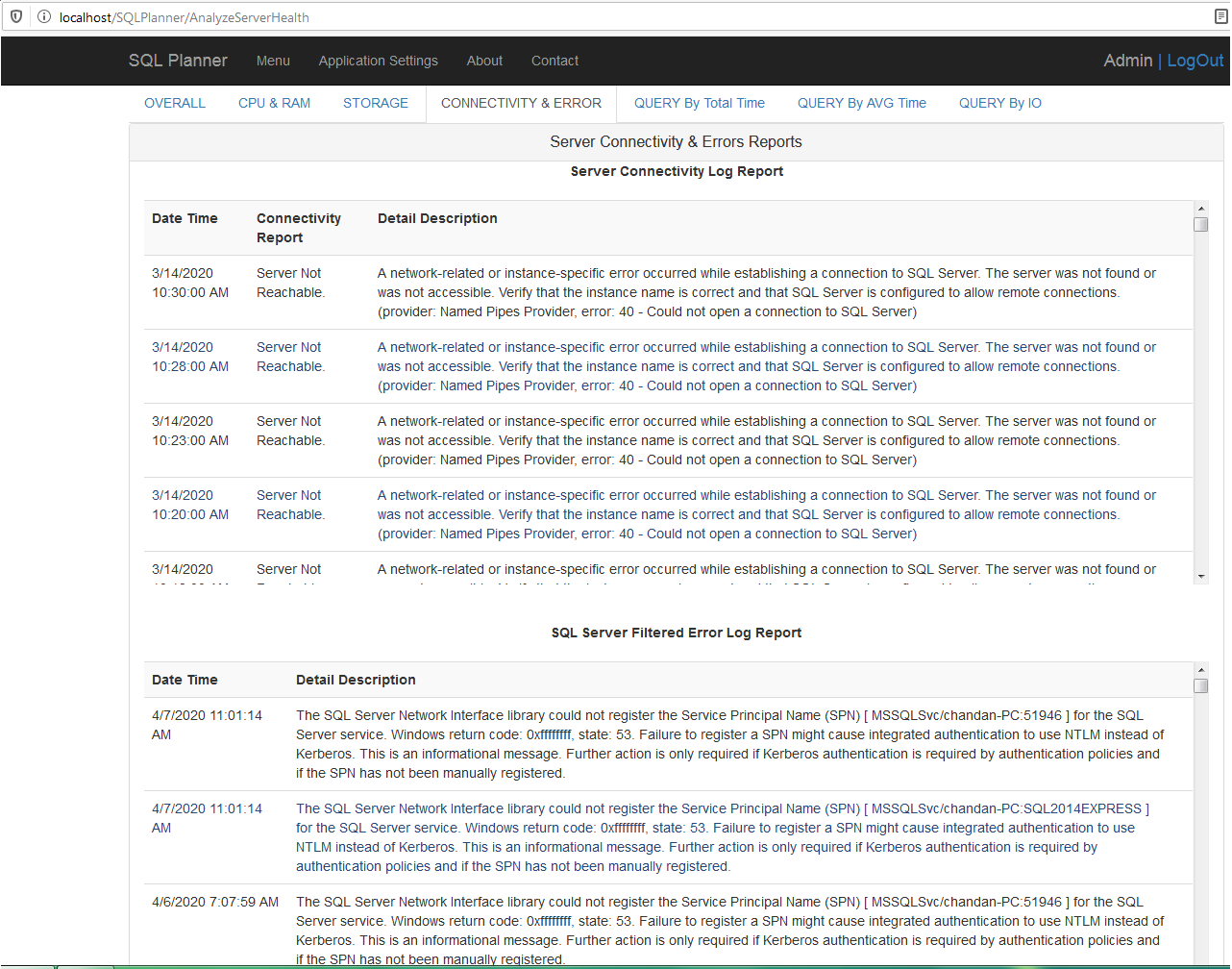
View real-time log data for multiple servers in one place. AI Enabled from Edge browser.
Click here for more →DBA Note Management
Streamlined communication and automated documentation for seamless team handovers.
Click here for more →Automated Ticket Management
Seamlessly sync SQL Server & Win. Server events with ServiceNow to automate ticket creation and lifecycle tracking directly from your dashboard.
Click here for more →Instant AI-Driven Insights
Simply ask about CPU-heavy queries, wait types, blocking sessions, or database usage trends.
🔒 Built with enterprise security in mind — no direct AI access to your production database.
Multi DB Technology Query Studio
Manage SQL Server, MySQL, PostgreSQL, and Oracle through one consistent interface with a smart query editor and instant visual insights.
Click here for more →SQL Server Performance Analysis
Discover exactly what your SQL Servers are spending their time waiting on and pinpoint the root cause of bottlenecks instantly with WaitWise.
Click here for more →Multi DB SQL Schema Compare
Compare two database schemas side by side and generate accurate deployment scripts in your database's native SQL dialect.
Click here for more →Visual Database Design & Documentation
Design schemas visually, reverse-engineer existing databases, validate designs, and export clear data dictionary documentation from your browser.
Click here for more →BI & Custom SQL Reporting
Develop Business Intelligence and design elegant dashboard reports. Share and access telemetry securely from any device.
Click here for more →Audit SQL Server
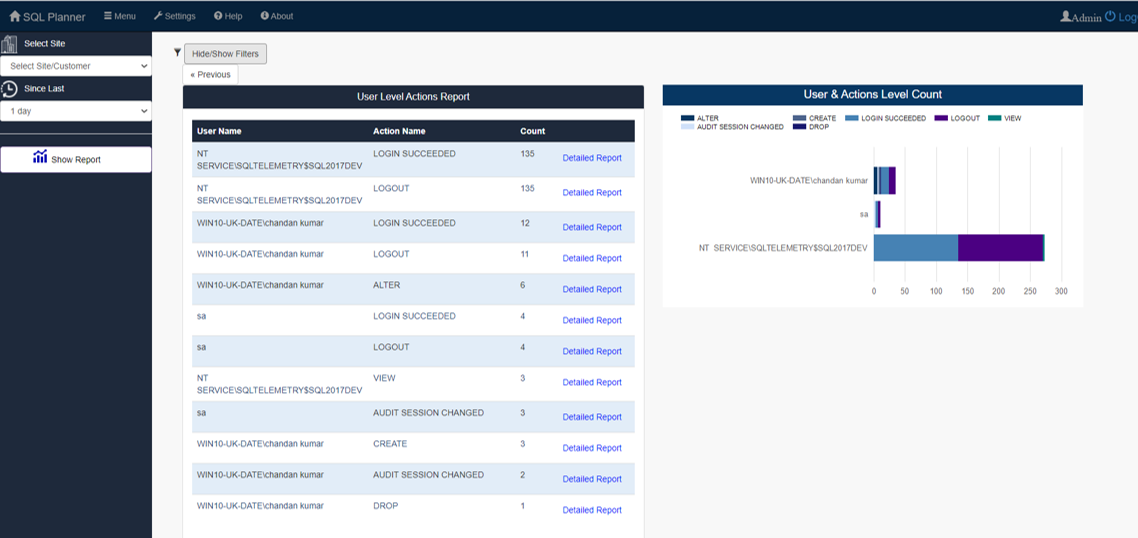
Comprehensive security auditing, user tracking, and simplified compliance reporting.
Click here for more →Central Management From Any Device
Access your complete control dashboard via any web browser 24/7.
🛡️ Highly Secured Framework
SQL Planner incorporates a dual-layered security framework, comprising:
(a) Your individual SQL server security, ensuring protection at the database level.
(b) Application-level security, which employs encryption to safeguard all credentials. Decision to expose over the internet, intranet, or limit it to local machine is configurable.
📱 Seamless Access
Effortlessly access the SQL Planner application from any device, anywhere. Enjoy the convenience of automated SQL Health Analysis, Server Monitoring, Alerts, Backup , Index de-fragmentation, and Stats maintenance etc.
💰 Huge Saving in Time & Cost
Available in two editions:
1) Professional Edition: Absolutely Free
2) Support & AMC : 60% lower cost than others, powerful than many paid cheaper than many free** other monitoring tools
👥 Who this Application is for
Individual Service providers / SQL server Hosting Sites / System Admin/ Network Admin/ SQL Server DBA / SQL server Developers / Organizations using several Servers / SQL Server.
How SQL Planner is Different
A browser-based, high-performance alternative to traditional SQL management tools.
📱 Browser-Based Flexibility
Access your dashboard from any Tablet, PC, or Mobile device. Stay in control of your databases even while traveling or walking with our fully responsive web interface.
📊 100+ Deep Analytical Reports
02. ANALYTICSGo beyond basic monitoring with over 70+ health reports. Analyze Live and Historical data to identify long-term trends and immediate bottlenecks.
💾 Advanced Backup & Validation
Includes a unique flexibility to auto-restore on test servers to validate backup integrity. Supports selective table/object level backups in script mode with high compression.
⚙️ Agentless Task Automation
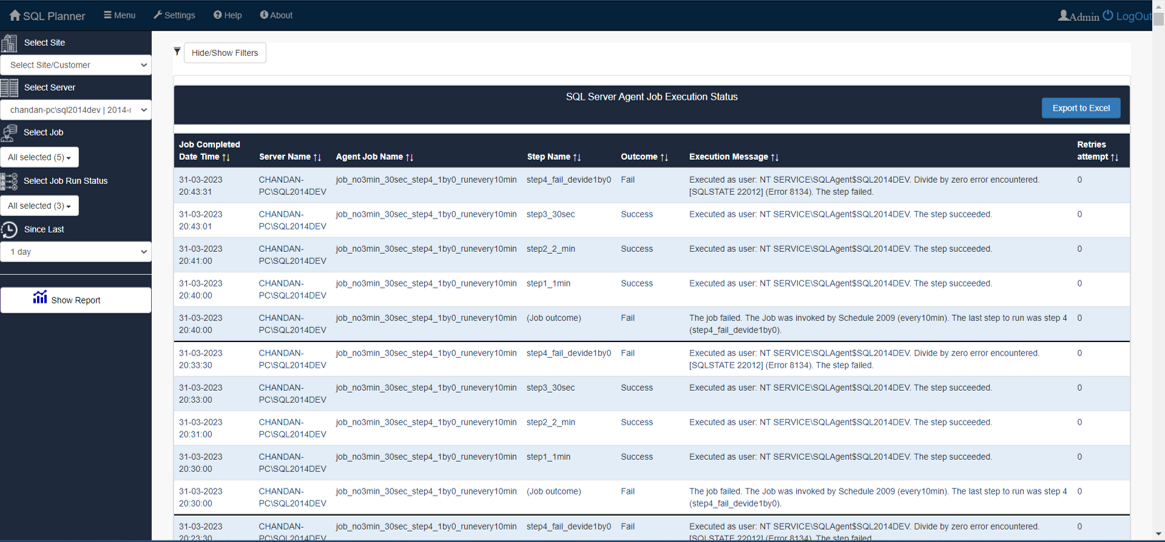
Supports all SQL editions (including Express). Our task automation feature is independent of SQL Agent, making it perfect for Express Edition users.
🛡️ 100% Clean & Certified
SQL Planner is 100% cleanand is officially certified by Softpedia labs.
View Softpedia Certificate →
🎁 Enterprise Monitoring – Now Free
Monitor 10 Windows Servers and 10 SQL instances for free .
How SQL Planner Works
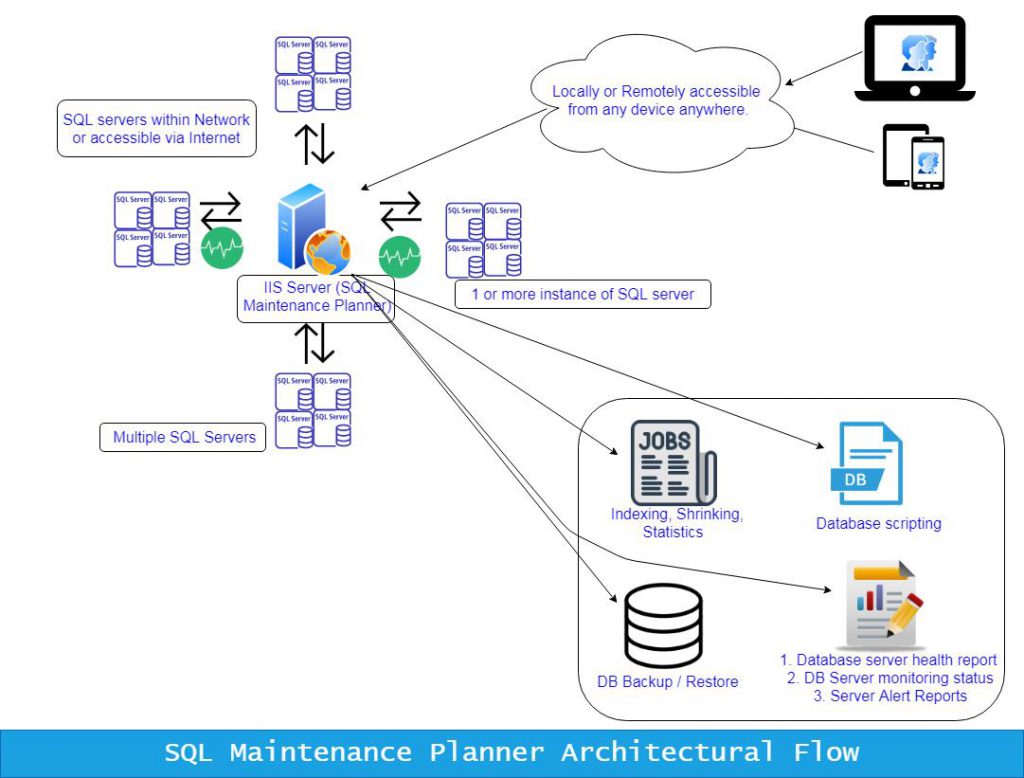
A simple, efficient workflow to monitor and optimize your SQL Server environment.
💻 Simple Local Installation
Install SQL Planner directly on your local machine running Microsoft Windows. No complex server-side infrastructure is required to get started.
🔑 Secure SQL Connectivity
Provide your SQL Server credentials (limited View State privileges). SQL Planner immediately begins collecting performance and usage data.
📈 Intelligent Data Collection
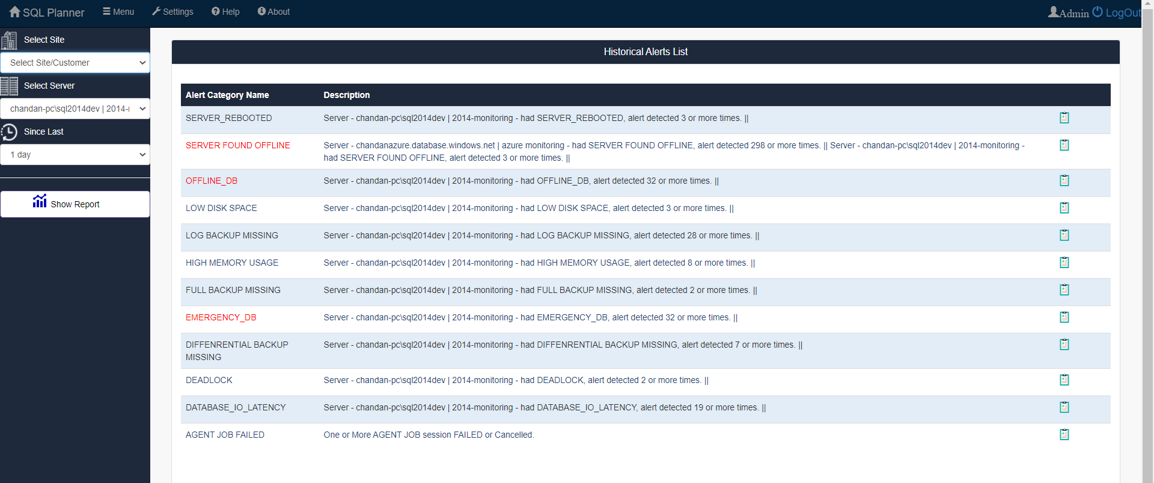
The engine starts tracking performance metrics very efficiently. It monitors for high CPU, RAM, and Disk usage to ensure your SQL environment runs smoothly.
🔔 Critical Email Alerts
Receive instant email notifications for several critical factors, including Drive space shortages or continuous high resource consumption.
🌐 Browser-Based Access
Access the interface at http://localhost/SQLPlanner using Chrome or Edge. It's accessible to anyone on your network or via mobile without extra installs.
SQL Server version and edition supported
SQL Server 2012, 2014, 2017, 2019 onwards all editions including express.
SQL Planner Users



What Our Clients Say
Trusted by DBAs, Admin and Organizations worldwide for Server Health & Automation.
Read All 5-Star Reviews on Capterra →⭐ "Efficient & Reliable"
Clients consistently highlight how SQL Planner simplifies complex database tasks and provides reliable health analytics for Express and Enterprise editions.
— Database Administrator, Information Technology
🚀 "Huge Time Saver"
Users report significant improvements in workflow, noting that the Automated Alerts and Backup Validation features save hours of manual checking every week.
— SQL Developer, Financial Services
💰 "Best Value in Market"
Reviews frequently mention the 80% lower cost compared to competitors without sacrificing the deep performance metrics needed for high-load servers.
— CTO, Enterprise Solutions

Posted on CapterraTrustindex verifies that the original source of the review is Capterra. Survey Pros: Compare to other services in the industry it is easy to use Cons: Back up services and management services are very well understoodPosted on CapterraTrustindex verifies that the original source of the review is Capterra. It’s easy to use Pros: It’s easy to use it make work fast and result fast Cons: It fast and accurate while monitoring database compare to other productsPosted on CapterraTrustindex verifies that the original source of the review is Capterra. All for one, one for all Pros: Good software to handle large database, easy to use, user friendly interface Cons: Slight sluggish sometimes. Otherwise not found any consPosted on CapterraTrustindex verifies that the original source of the review is Capterra. SQL planner review Overall: Used SQL planner for RDMS and relational data storage, manipulation and monitoring...it was pleasant experience and quite a useful Avenue for simple RDMS jobs Pros: Easy to use, cost effective and available with multiple tools which are effective and user-friendly Cons: The fear res may include larger cloud integration and a few modern features may be includedPosted on CapterraTrustindex verifies that the original source of the review is Capterra. SQL is a great software for managing bulky database Pros: Integration with existing software was a breeze. Timely alert helps in mitigating errors. Cons: The software is expensive. It could be made cost effectivePosted on CapterraTrustindex verifies that the original source of the review is Capterra. SQL for Database Management Overall: Overall experience with SQL is very good as it is a one stop solution. Pros: The ease of handling this software is very good. The most important part I feel about this software is stability. It is important for a software to crash less and provide faster activity which is observed in SQL. Cons: My company being a bigger organization can afford the software. But the cost is high and might impact the companies with lower budget. Cost effectiveness will boost the sale of SQL.Posted on CapterraTrustindex verifies that the original source of the review is Capterra. Data Review Overall: Very good experience and very like and easy to work with this product Pros: I like to use this product because data was very easy to capture and Review the data Cons: There was connection error found in some time that was least likePosted on CapterraTrustindex verifies that the original source of the review is Capterra. SQL planner for data server Overall: Over all good experience Pros: Good for data management and planning . Helpfull to plan activity and execute ur planned activity Cons: Till now didn't find any such issue. Cost is slightly on higher sidePosted on CapterraTrustindex verifies that the original source of the review is Capterra. SQL for management Overall: Excellent Pros: SQL is excellent for data management and good storage of data Cons: I didn't find any demerit regarding SQL.Posted on CapterraTrustindex verifies that the original source of the review is Capterra. Quick review and planer Overall: Overall good experience and very east to use software. Pros: It has good backup and restore features. SQL planner can be operated any location Cons: High cpu usage ,not efficient with large volume of data.